Copy the text you can see but can't select.
Press a shortcut, drag over the words and paste them wherever you need them. Tweezers works on pictures, slides, paused videos and web pages that won't let you select their text.
You can try every feature free for 14 days, and no card is needed. After that it's $9.99 once, or you can get it in MixedBag along with the rest of the box for $49.99.
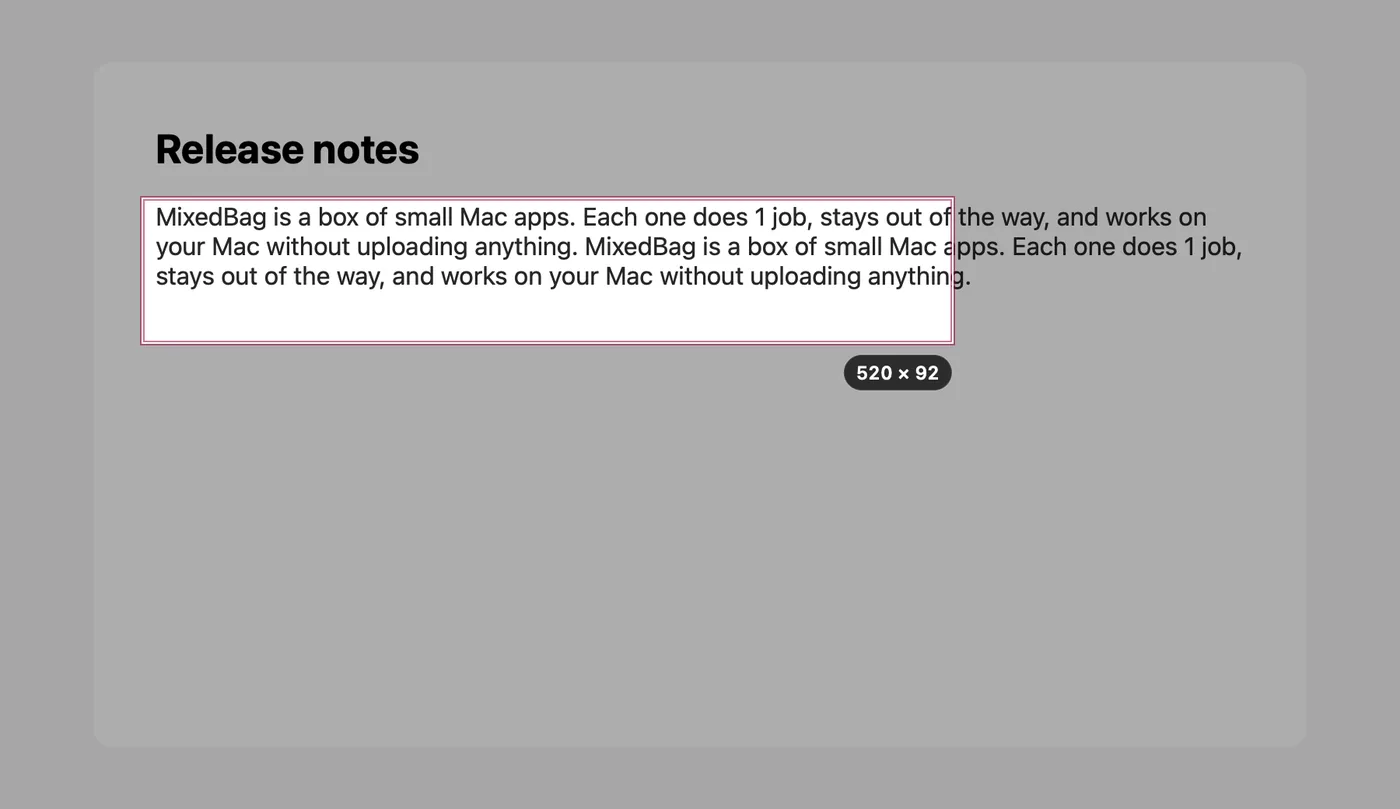

- Text is read on your Mac
- No screenshot file is left behind
- It works without permissions too
- It needs Apple silicon and macOS 26
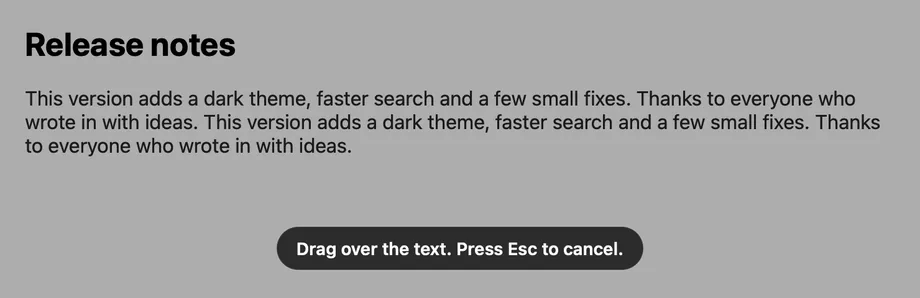
Press, drag and paste
Press Control-Shift-Command-T and drag a box over the words, just as you would to take a screenshot. The text goes straight to your clipboard, ready to paste, and 30 lines take under 0.2 seconds on an M4 Pro Mac.

Tables stay tables
Drag over a table and Tweezers copies it as rows and columns, so it pastes straight into a spreadsheet. Most tables come through correctly, although it is worth a quick look after you paste.

Scanned PDFs work too
A scanned PDF has no text to select, which makes copying even a single line impossible. Drop the file onto the Tweezers icon in the menu bar and it reads the pages as pictures, up to 30 pages at a time.
Your grabs stay on your Mac
macOS does the reading right on your Mac, so nothing is uploaded and no screenshot file is left behind. Your last 20 grabs wait in the menu until you quit Tweezers, and you can switch that off if you prefer.
There is more to Tweezers
Line breaks, your way
You can keep the line breaks as they appear or join the lines together, and each choice has its own shortcut.
QR codes and barcodes
Tweezers reads a code in the same drag, and a link inside it opens only when you click.
Lists and code
Lists and code keep their lines, and a word split by a hyphen is joined back together.
Text in columns
When text is set in 2 columns, the left column comes out first.
In the Shortcuts app
Tweezers adds 3 actions to the Shortcuts app, so you can read the text in a file, read a code or grab an area.
A closer look at Tweezers


$9.99, once
- You can try Tweezers free for 14 days first, with every feature included and no card needed.
- Your purchase includes 1 year of updates.
- After that, $19.99 a year keeps the updates coming, and if you choose not to renew, Tweezers keeps working as it is.
- One key works on up to 3 Macs.
- You can also get it in MixedBag, along with the rest of the box, for $49.99.
If it isn't right for you, email hello@aretebase.com within 14 days of buying and we'll give you your money back.
Before you install
For the one-key grab, Tweezers needs the Screen Recording permission, which is how macOS lets an app see what's on screen. After you allow it, macOS asks you to quit and reopen Tweezers, and it may check with you again from time to time. You can also use Tweezers with no permission at all. Press Control-Shift-Command-4 and drag, then press the Tweezers shortcut, and it reads the picture that macOS placed on the clipboard.
You'll need a Mac with Apple silicon running macOS 26 or later.
Questions
Isn't Tweezers what Live Text does?
Live Text works on a picture you have opened in Preview or Photos, and Tweezers skips that step. You press the shortcut, drag over any area of the screen and paste.
Can Tweezers read text in a streaming video?
It can't when the video is protected. Protected video appears as black, so Tweezers tells you that no text was found.
Which languages can Tweezers read?
Tweezers reads the languages that macOS reads on your Mac. It follows your Mac's languages to begin with, and you can choose others in Settings.
Does Tweezers keep what I grab?
It holds on to them only for a short while. Your last 20 grabs wait in the menu until you quit, and nothing is written to disk.
Can I change the Tweezers shortcut?
Yes, you can change both shortcuts in Settings. The main one starts as Control-Shift-Command-T, and Control-Shift-Command-J grabs with the other line mode.
Does Tweezers work without the Screen Recording permission?
Yes, it does. Press Control-Shift-Command-4 and drag, then press the Tweezers shortcut, and it reads the picture that macOS placed on the clipboard. You can also drop a picture or a PDF onto the menu bar icon.
If you still have a question, write to us at hello@aretebase.com.
Try Tweezers on the next text you can't select.
You can try every feature free for 14 days, and no card is needed. After that it's $9.99 once, or you can get it in MixedBag along with the rest of the box for $49.99.